
Installing Engine Integrations
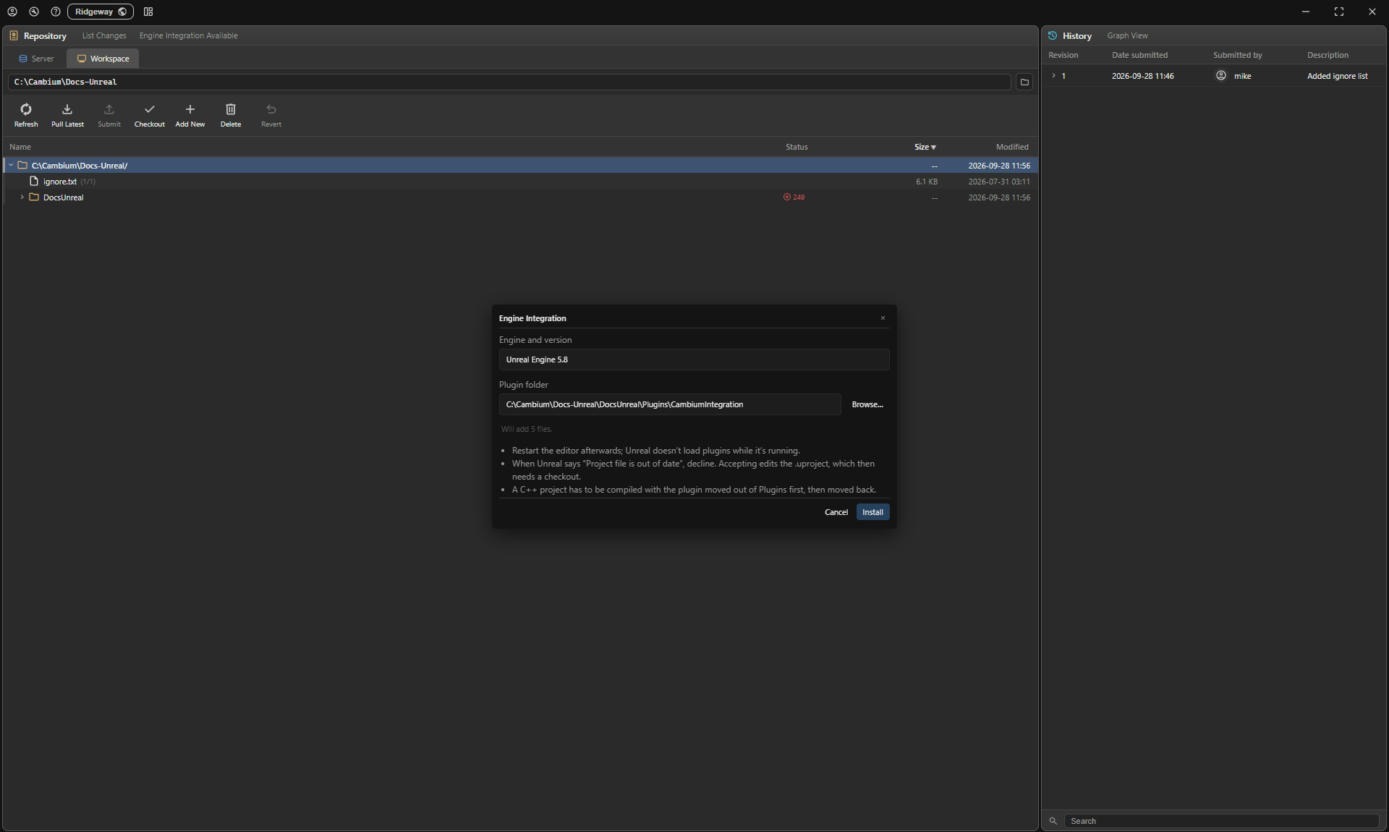
The desktop app carries plugins for Unreal Engine and Unity and installs them straight into your workspace. When the workspace holds one Unreal or Unity project, the Engine Integration button in the Repository panel header reads Engine Integration Available. Click it, check the engine and plugin folder it filled in, and click Install.
| Engine | Tested versions | Installs to |
|---|---|---|
| Unreal Engine | 5.4 – 5.8 | <Project>/Plugins/CambiumIntegration |
| Unity | 2022.3 – 6.6 | <Project>/Packages/com.ridgeway.cambium |
For any other version the button stays plain, but you can still pick an engine and folder yourself and install. Those versions are untested.
The plugin is part of your repository
Installing writes into your workspace like any other change: new files are marked for add, plugin files already in the repository are checked out and replaced, and files the new version no longer ships are marked for delete. Nothing is submitted for you. Submit the plugin folder and everyone on the team gets it on their next pull.
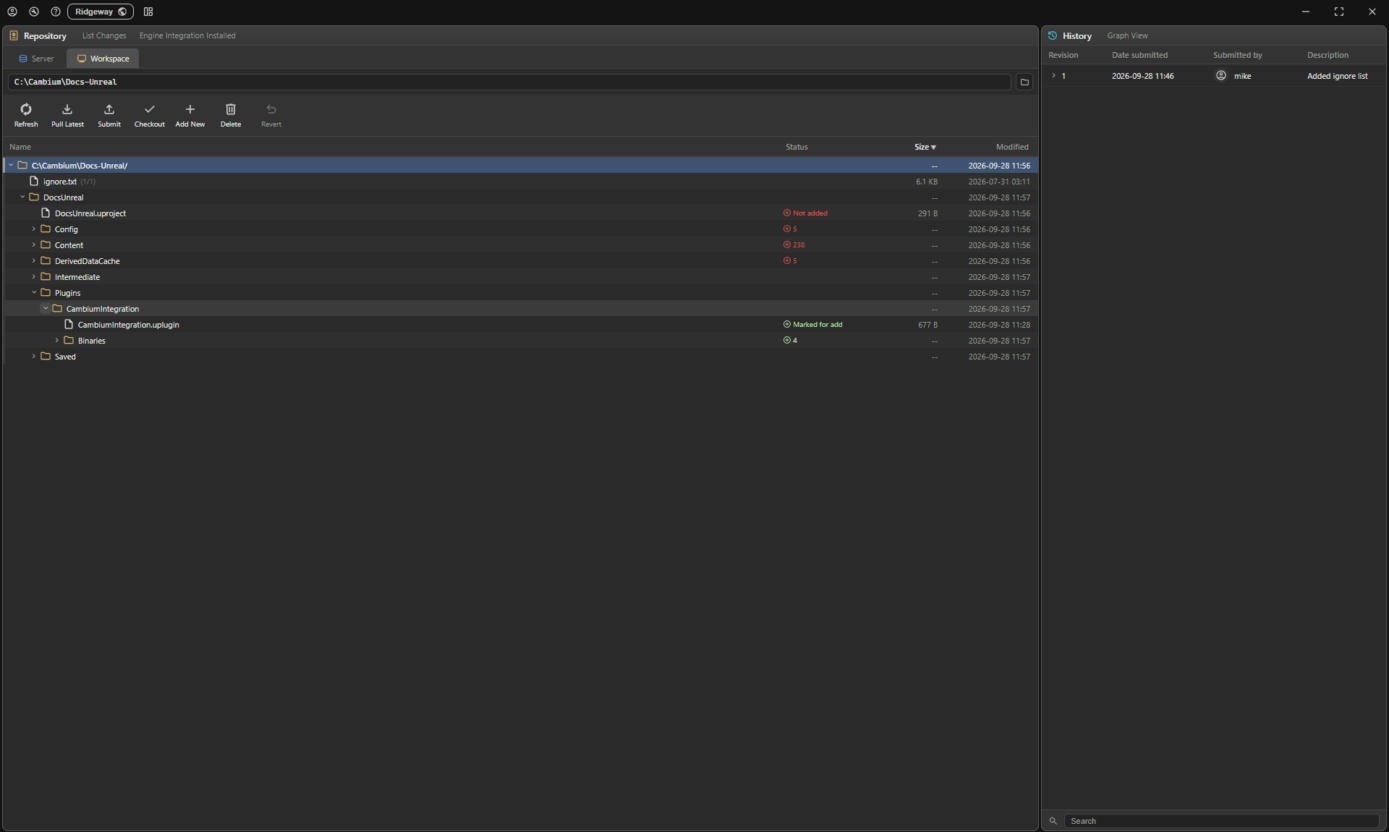
If your ignore list rules out the plugin folder, the install only copies the files to disk. Nothing is added or shared, so each person installs the plugin themselves.
The CLI
Both plugins work through the cambium CLI. If it is missing, or older than the app, the button offers to install it first. That does what the CLI installer does, including adding it to your PATH.
Updating and removing
When the app carries a newer plugin than the one installed, or an Unreal project moved to another engine version, the button reads Engine Integration Outdated. Click it to install over the old one, which goes into your changelist the same way. When it reads Engine Integration Installed, clicking it shows what is installed and a Remove button, which marks the plugin folder for delete.
Unreal: after installing
- Restart the editor. Unreal does not load new plugins while it is running.
- When Unreal says the project file is out of date, decline. Accepting edits the
.uproject, which then needs a checkout. - A C++ project has to be compiled with the plugin moved out of
Pluginsfirst, then moved back.
Then continue with Using the Unreal Integration or Using the Unity Integration.