Using the Unity Integration
The Cambium Unity Integration is a standalone editor package. It adds a Cambium menu, a dockable panel, status chips in the Project window and a save prompt. It does not depend on Unity's version control API, so one package covers every tested Unity version.
Connecting
There is no login: the package uses the account and workspace already set up in the desktop app or the CLI. Cambium › Cambium Panel shows the connection, project and account, what you have waiting to submit, and Submit and Pull Latest buttons.
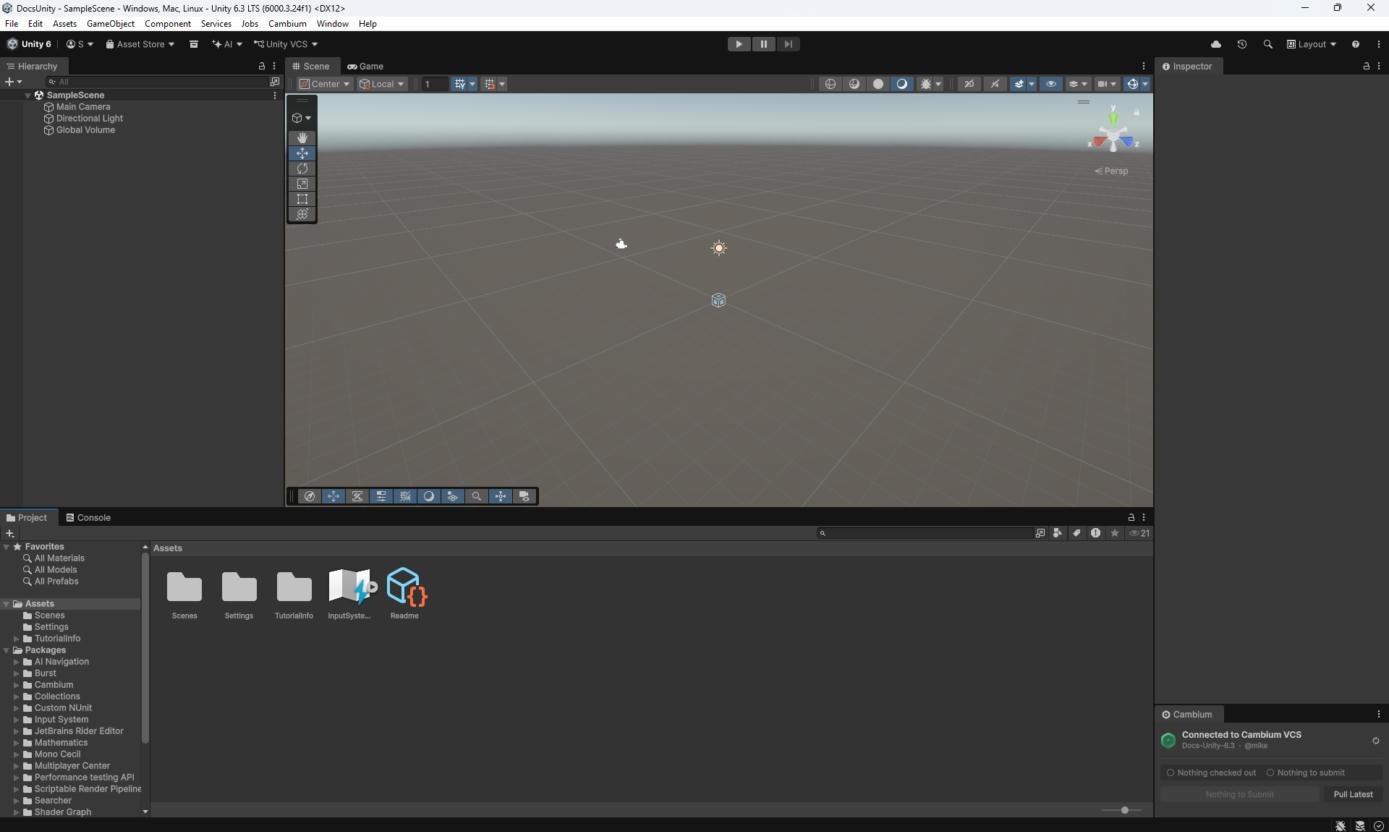
If something looks wrong, Cambium › Diagnostics prints the plugin, Unity and CLI versions to the Console, along with which cambium it found.
Adding and submitting
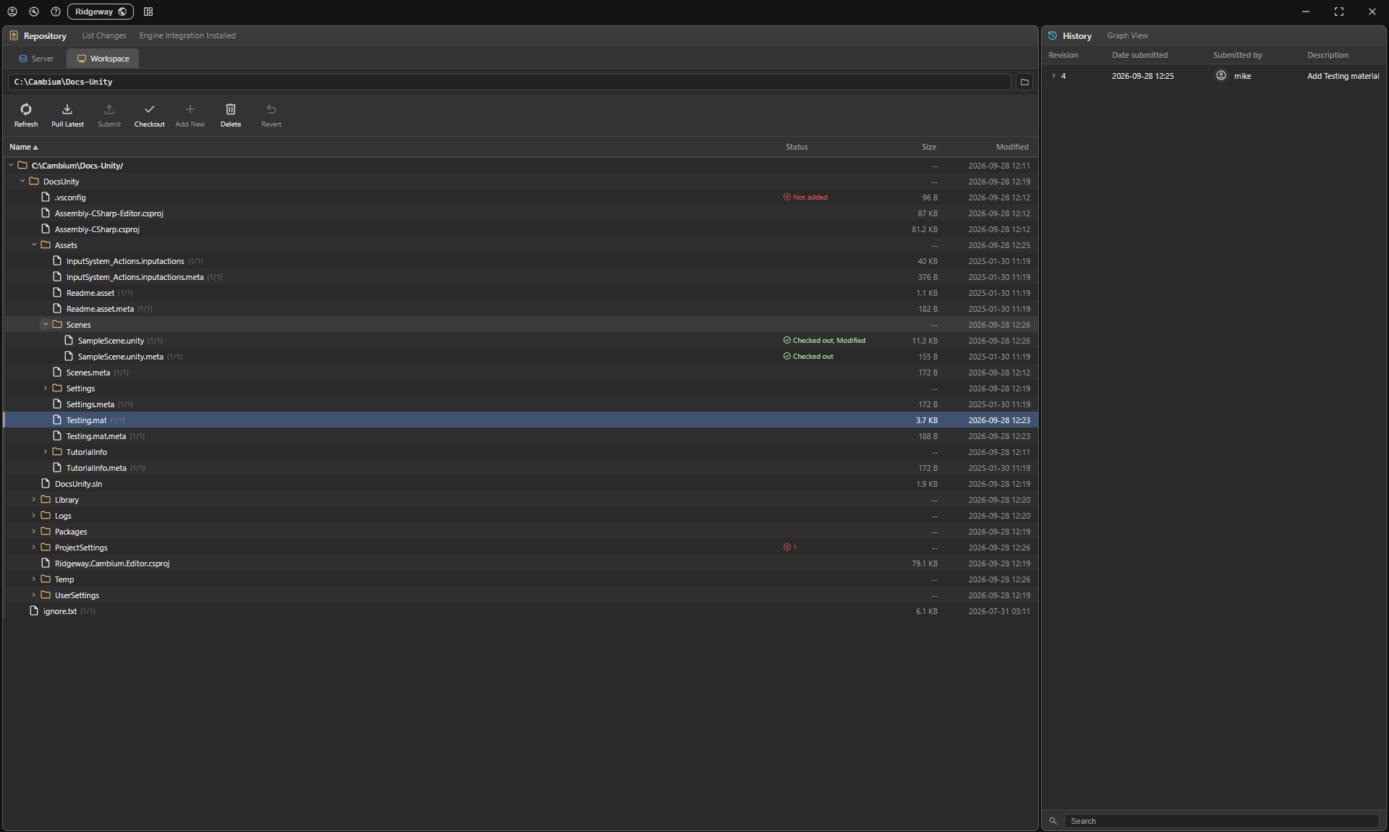
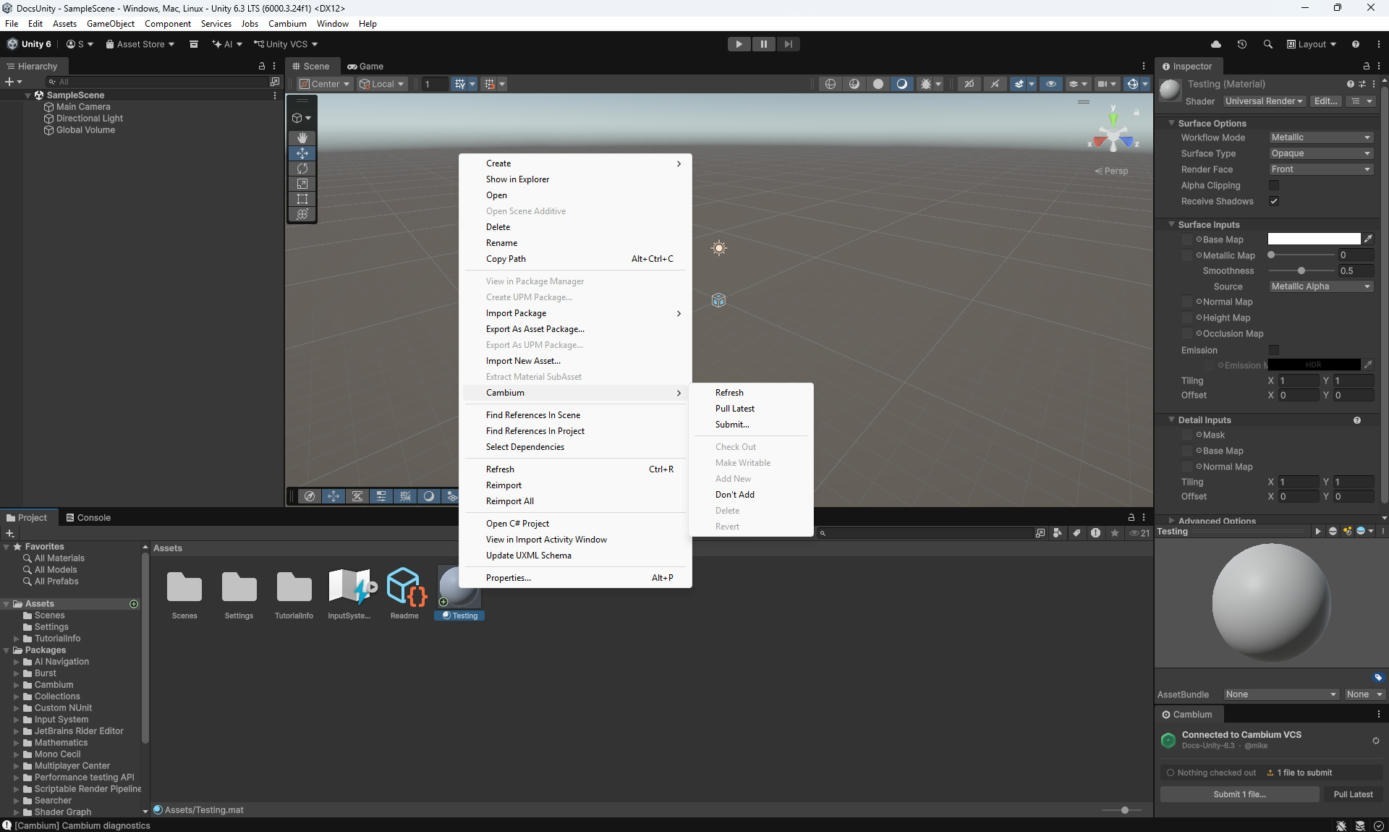
A new asset is marked for add as soon as you create it. Its .meta goes with it through every action (add, checkout, delete, revert, submit) and never shows as a separate row. Right-click › Cambium has the same actions as the desktop app's toolbar. Submit from Cambium › Submit Changes… or the panel.
Saving a file you have not checked out
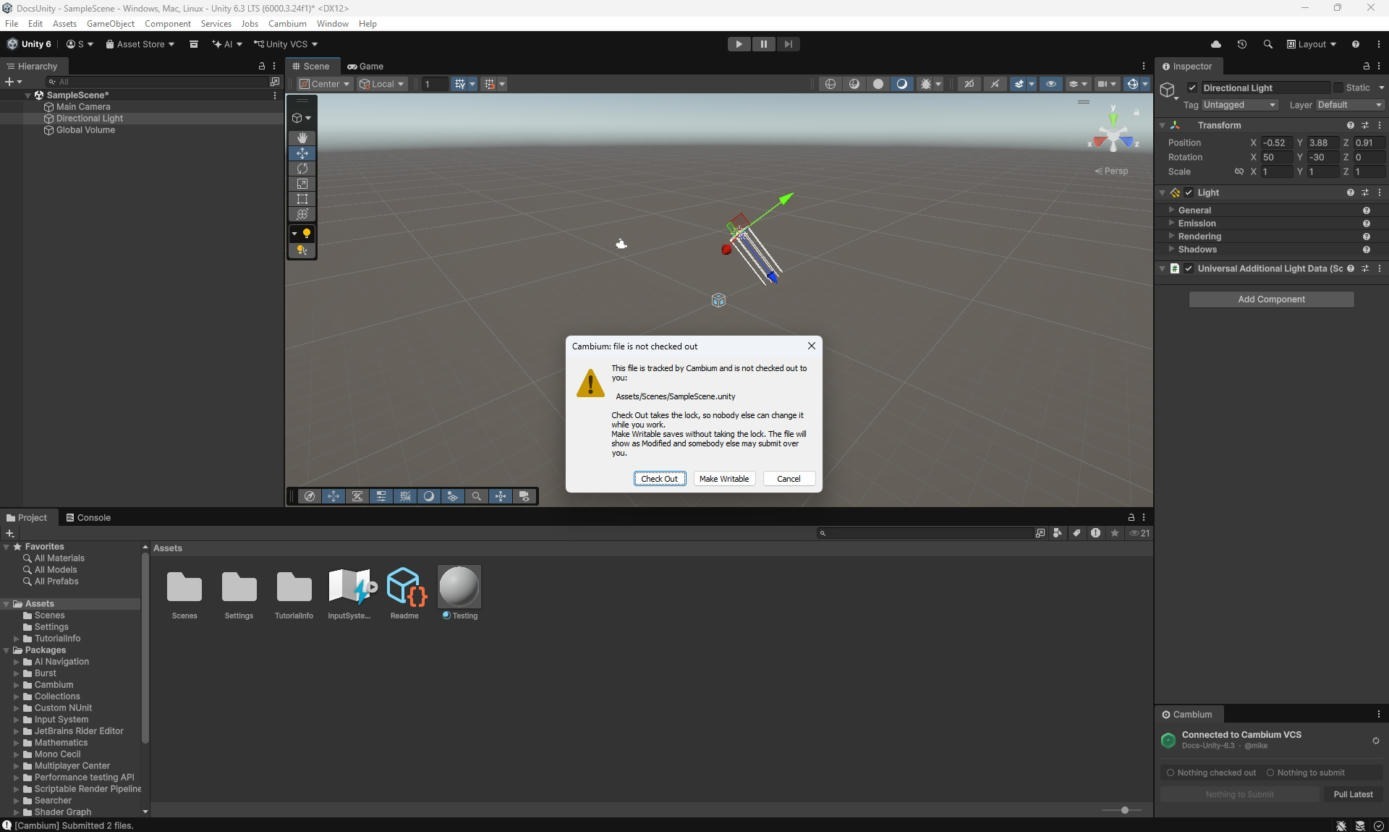
Tracked files are read-only until you check them out. Save one and Cambium asks first:
- Check Out takes the lock, then saves. This is the normal choice.
- Make Writable saves without the lock. The file shows as Modified, and someone else can submit over your work.
- Cancel does not save.
Scenes
A Unity scene is a single file, so checking one out takes the .unity and its .meta and nothing else. As everywhere, only files whose contents changed get a new revision.