Using the Unreal Integration
The Cambium Unreal Integration is a revision control provider. It plugs into Unreal's own revision control API, so you work through the editor's usual menus, badges and submit window, the same ones Perforce and Git use. It also means a new engine release can break it when Epic changes that API, so stay on a tested version.
Connecting
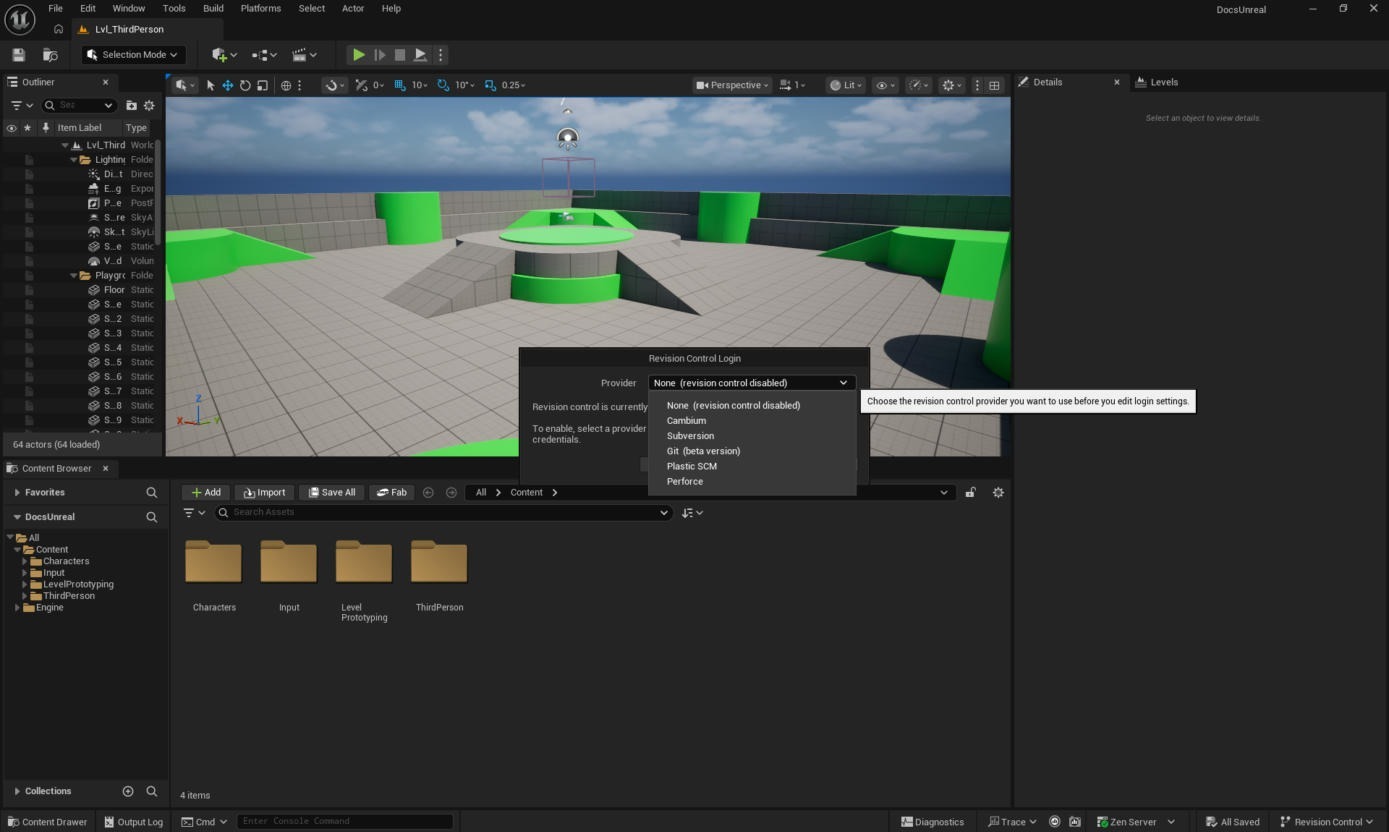
In the status bar, click Revision Control › Connect to Revision Control…, choose Cambium as the provider and click Accept Settings. There is no login here: the plugin uses the account and workspace already set up in the desktop app or the CLI. Reopen the settings window to check it picked the right project; it lists the server, account, project and workspace.
Adding and submitting
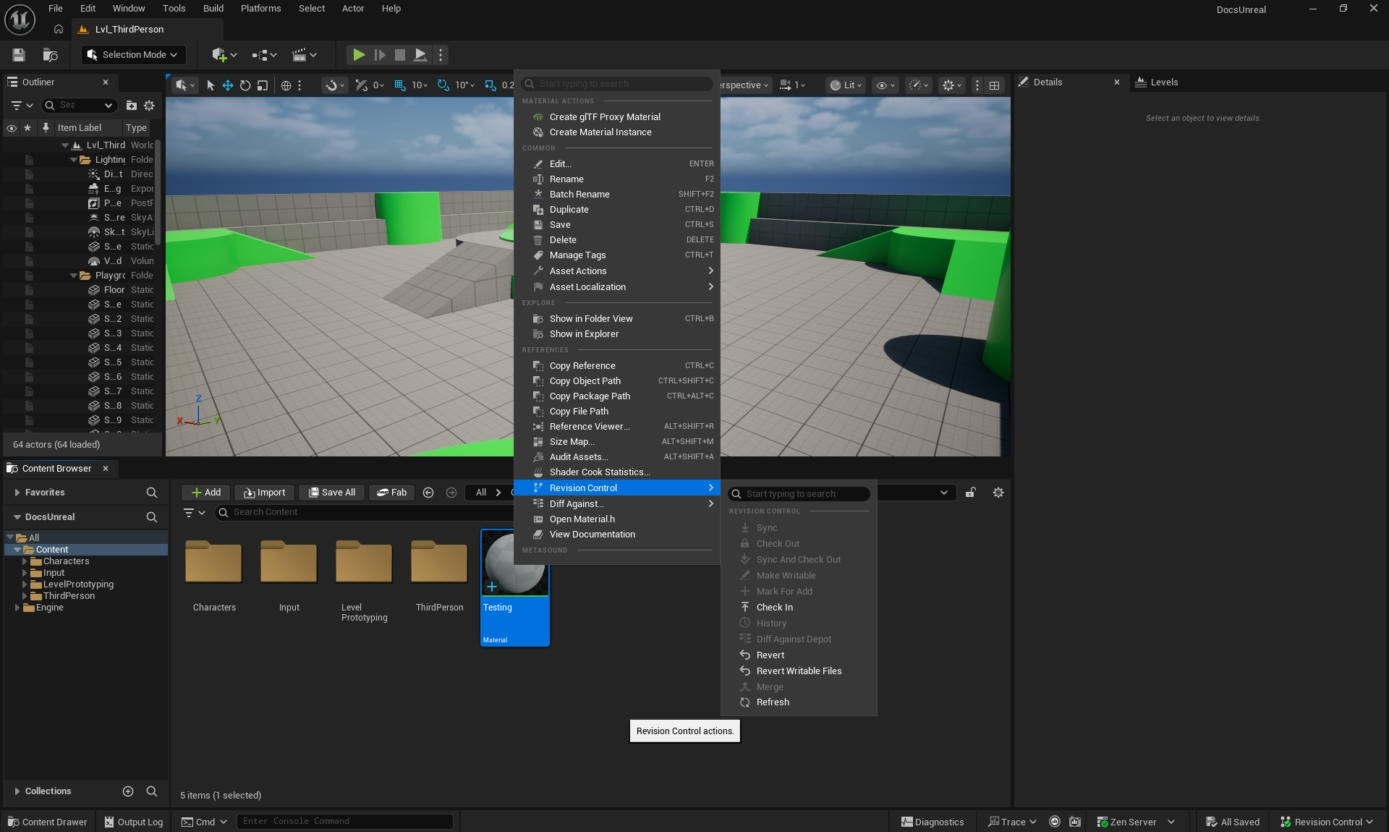
A new asset is marked for add as soon as you save it. Check In is Unreal's word for submit. Use it from an asset's right-click Revision Control menu, or use Revision Control › Submit Content in the status bar for everything pending. Unreal requires a description.
Files you have not checked out are read-only, and Unreal asks you to check one out when you save it.
| Badge | Means |
|---|---|
| None | Up to date, unmodified, and nobody has it checked out. |
| Green check | Checked out by you on this device. |
| Red padlock | Checked out by you on another device. |
| Red person | Checked out by someone else. |
| Green + | Marked for add. |
| Red × | Marked for delete. |
Levels are checked out as a unit
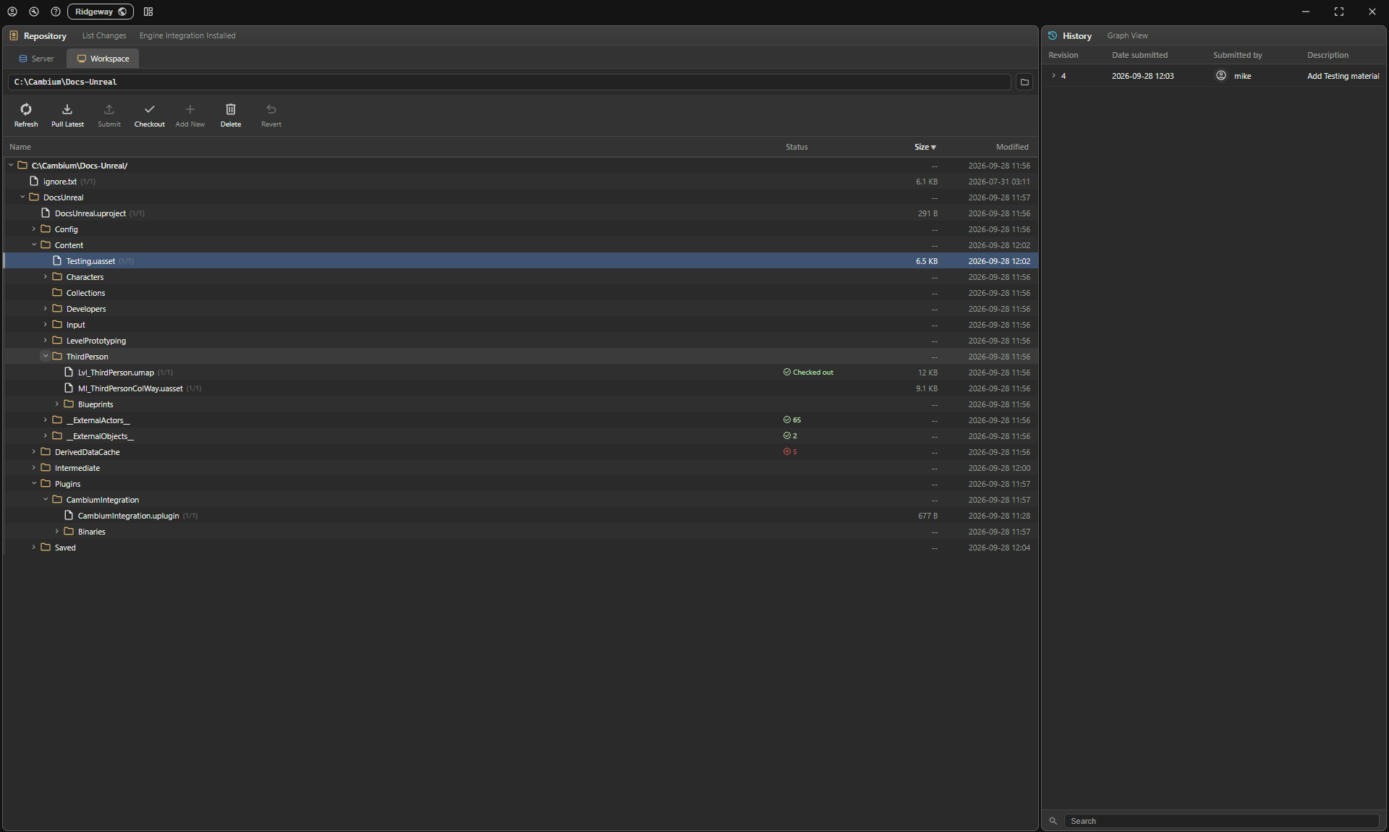
UE5 levels store each placed actor in its own small package under __ExternalActors__ (One File Per Actor), with some objects the level owns under __ExternalObjects__. The .umap holds the level itself. When you save an edit, Unreal only asks to check out the actor you touched.
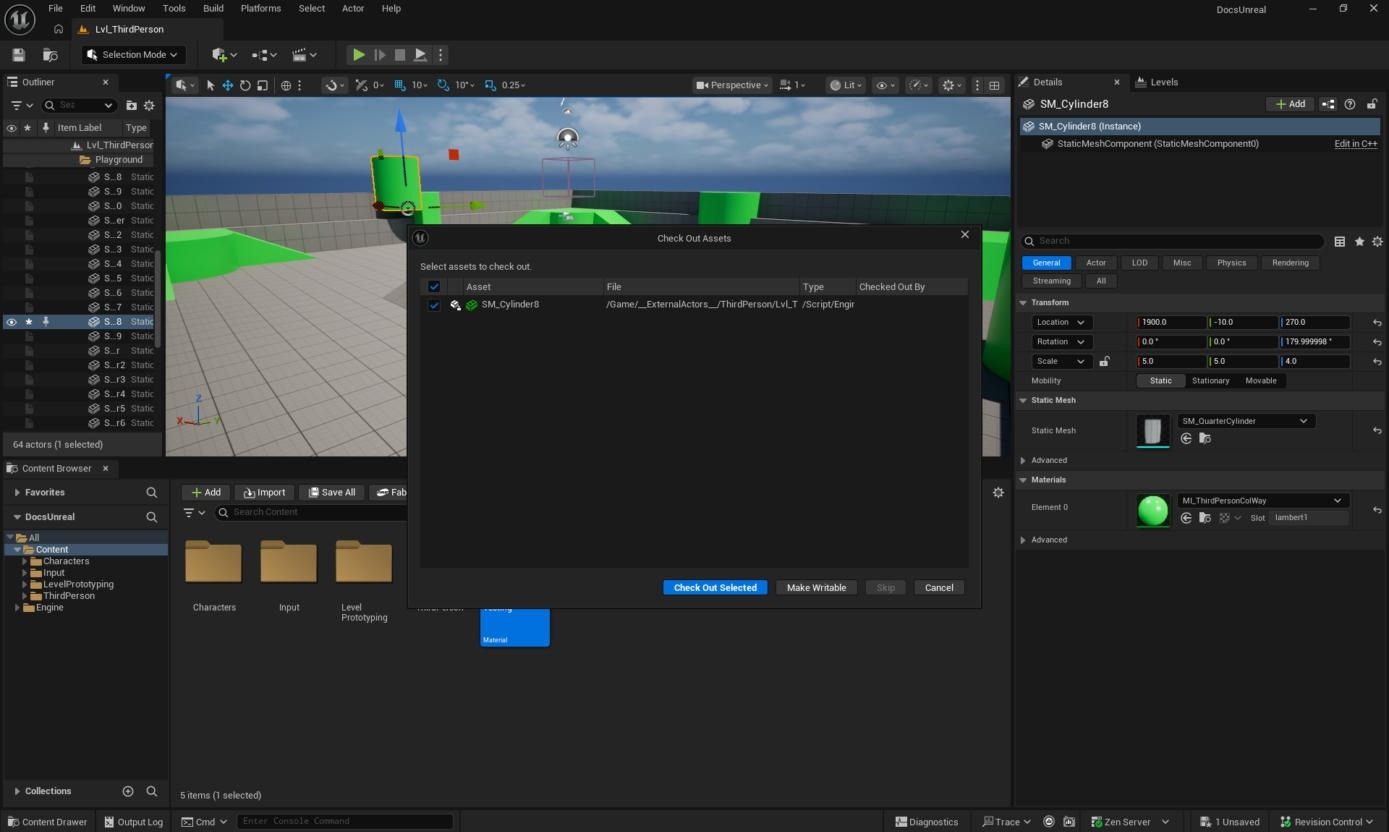
Cambium checks out the whole level instead: the .umap and every external actor and object package. For this 64-actor level that is 68 files. Actors refer to each other and to the level, so if two people held different actors of one level, either could submit a change that breaks the other's. Checking a level out before you edit it (right-click › Revision Control › Check Out) takes the same set.
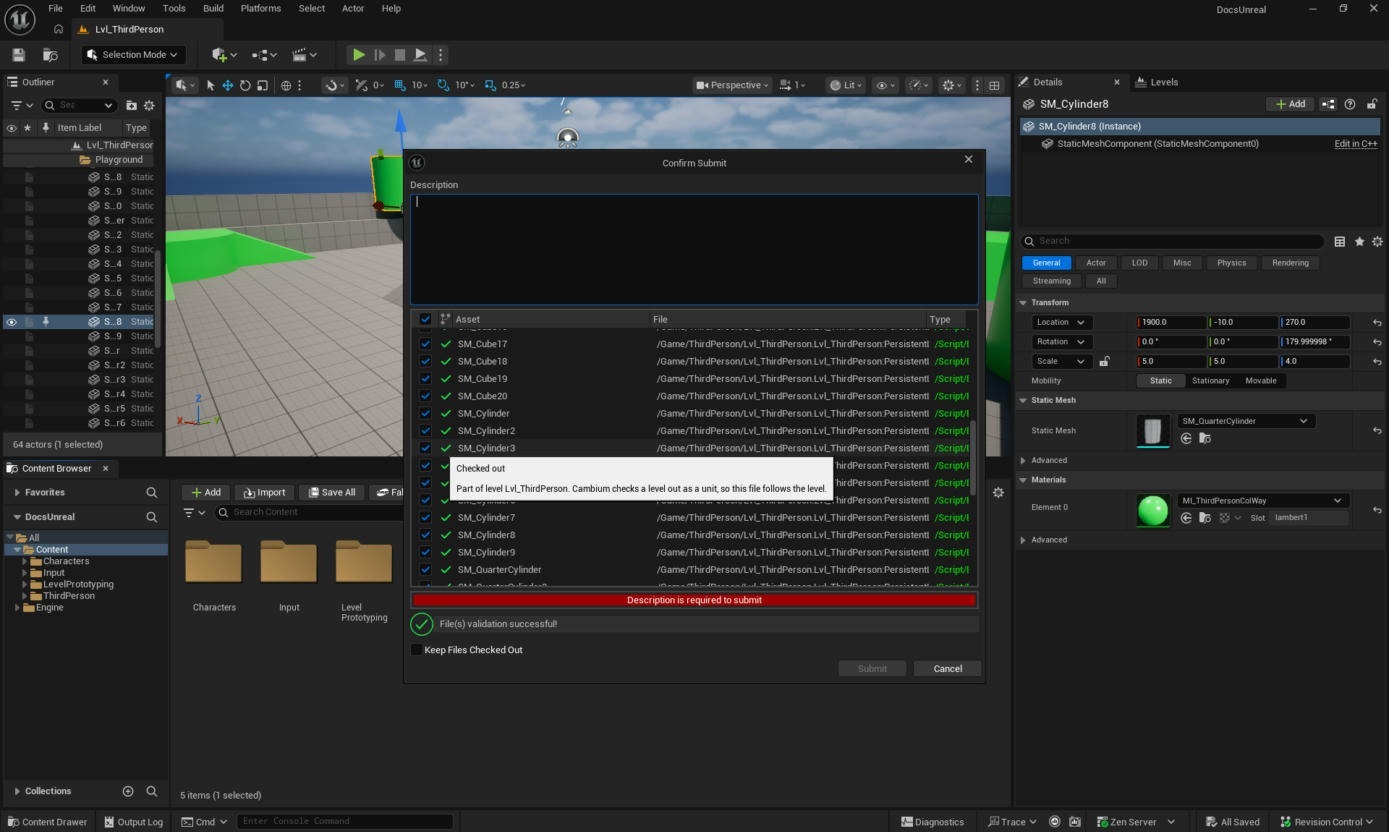
Submit Content then lists every actor in the level, and hovering a row says it is there because it follows the level. Unreal's submit validation checks the level as a whole, which is why the full set goes through.
Only files whose contents changed get a new revision. Here that is the one moved actor; the other 67 files keep the revision they had.